


 +1
+1
(209) 841-4427
is a Legal Threat Robocall
This number also appears as 209-841-4427, 2098414427, (209) 841-4427
- Risk Level:very-high
- Carrier:Vodex Communications Corporation
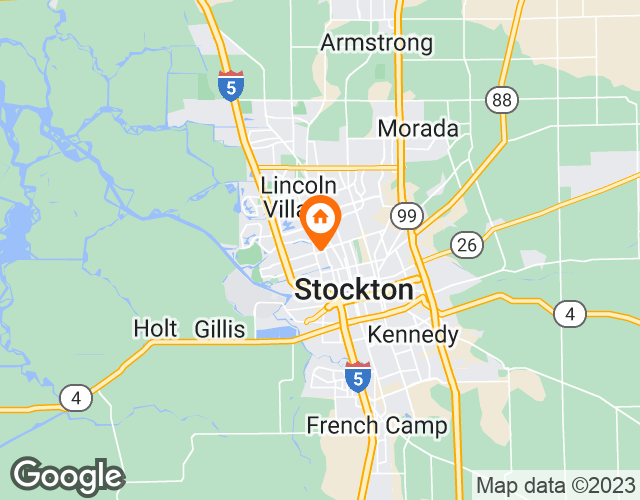
- Location:Oakdale, California
- Line Type:Landline
- Recording:
- Transpript:This message is for Sunny via Le. This is a documented attempt to reach you regarding a matter filed in our office. Please call 844-891-771 to speak with one of our specialists. Please note that this is a very time-sensitive matter and your cooperation is required. Call 844-891-771 or press one to speak with a live agent.
About Oakdale
Oakdale is a city located in Stanislaus County, California. It is located in the central region of the state and is known for its rich agricultural and livestock history. The area code for Oakdale is 209 and the zip code is 95361. The city has experienced an increase in fraudulent calls, including identity scams, robocalls, and fake representatives from legitimate companies. To protect themselves against these fraudulent calls, residents can use Realcall to intercept them before they reach their phone.
Top 20 Spam Calls

Just last week, people got RealCall protection!

Every spam call has been blocked since I’ve installed this app. I get 10-15 robocalls daily and never get distractions while I’m working or with family. Very happy with it.
00brunette
No annoying calls!! Though it also silences all calls not in contacts. I’d like to get all calls from my local phone numbers.
pennybeanpole
I own my own aesthetics business, as well as I teach yoga. It is important for me to be able to stay in touch with my clients as well as my healthcare providers as I am chronically ill but this also leads to me having incessant phone calls that I waste time on. Bec I was literally losing my mind, and, starting to waste a lot of stress on said calls that didn\'t need to go through. If you are receiving too many Robo calls or too many spam calls. This is worth your money, especially if you own your own business.
Nacomanrandysavage
Finally sanity! Thanks! No spam calls!
WENDEE WOO
Well, so far, this is blocked all of the Robo calls and scam calls so I would definitely have to say that I am happy with this app.
josh121984
Comment
2 user reports for (209) 841-4427
Subject: Analysis of RealCall lookup – improvement suggestions I took a look at the RealCall page you linked. The public search results only show the generic description of the service and a long list of example numbers, but they don’t return the specific details for 209‑841‑4427 (e.g., name, carrier, location, spam rating). This is typical for RealCall’s free lookup – the detailed report is usually displayed only after you interact with the site (enter the number, possibly solve a captcha, or sign‑up for a free account). Below is a brief analysis of what the page currently offers and where it could be improved. I’ve marked the suggested enhancements in red (using a “red pen” style). Area Current state Suggested improvement Data completeness Only a generic description and a bulk list of sample numbers are shown. No specific information about the queried number appears. <span style="color:red">Display the core fields for the searched number (owner name, location, carrier, spam score, last activity date) directly on the results page.</span> User guidance No clear instruction on why the result looks empty or what steps are needed to get the full report. <span style="color:red">Add a short “What’s next?” banner: “To see detailed info for 209‑841‑4427, please complete the captcha or sign‑up for a free account.”</span> Transparency The source of the data (crowd‑sourced, telecom databases, etc.) isn’t mentioned. <span style="color:red">Include a footer that explains data provenance and freshness (“Data refreshed 24 h ago from XYZ provider”).</span> Privacy notice No visible statement about how the entered number is used or stored. <span style="color:red">Show a concise privacy notice: “We do not store your query longer than 48 h and never share it with third parties.”</span> Mobile friendliness The page layout is static; on small screens the long list of example numbers creates heavy scrolling. <span style="color:red">Collapse the example list into an expandable accordion or hide it on mobile devices.</span> Search speed The initial load returns a large HTML blob with many numbers, which can slow down rendering. <span style="color:red">Load only the essential UI first, then fetch the example list asynchronously if the user clicks “Show more examples”.</span> Error handling If the lookup fails (e.g., network issue), the page shows a generic error without guidance. <span style="color:red">Provide a friendly error message with retry options and a link to support.</span> Quick next steps you can take Run the lookup yourself – Open the link in a browser, enter the number, and complete any required verification (captcha or sign‑up). Copy the resulting details – Once the full report appears, you can paste the information here for a deeper analysis (e.g., checking the carrier, location, or spam rating). Consider alternative services – If RealCall doesn’t give you the data you need, services like Truecaller, NumLookup, or the FCC’s National Do Not Call Registry can also provide caller‑ID info. Feel free to share the detailed output once you have it, and I’ll dive into a more thorough assessment (including risk evaluation, possible scams, and recommended actions). R L C Sources
Subject: Analysis of RealCall lookup – improvement suggestions I took a look at the RealCall page you linked. The public search results only show the generic description of the service and a long list of example numbers, but they don’t return the specific details for 209‑841‑4427 (e.g., name, carrier, location, spam rating). This is typical for RealCall’s free lookup – the detailed report is usually displayed only after you interact with the site (enter the number, possibly solve a captcha, or sign‑up for a free account). Below is a brief analysis of what the page currently offers and where it could be improved. I’ve marked the suggested enhancements in red (using a “red pen” style). Area Current state Suggested improvement Data completeness Only a generic description and a bulk list of sample numbers are shown. No specific information about the queried number appears. <span style="color:red">Display the core fields for the searched number (owner name, location, carrier, spam score, last activity date) directly on the results page.</span> User guidance No clear instruction on why the result looks empty or what steps are needed to get the full report. <span style="color:red">Add a short “What’s next?” banner: “To see detailed info for 209‑841‑4427, please complete the captcha or sign‑up for a free account.”</span> Transparency The source of the data (crowd‑sourced, telecom databases, etc.) isn’t mentioned. <span style="color:red">Include a footer that explains data provenance and freshness (“Data refreshed 24 h ago from XYZ provider”).</span> Privacy notice No visible statement about how the entered number is used or stored. <span style="color:red">Show a concise privacy notice: “We do not store your query longer than 48 h and never share it with third parties.”</span> Mobile friendliness The page layout is static; on small screens the long list of example numbers creates heavy scrolling. <span style="color:red">Collapse the example list into an expandable accordion or hide it on mobile devices.</span> Search speed The initial load returns a large HTML blob with many numbers, which can slow down rendering. <span style="color:red">Load only the essential UI first, then fetch the example list asynchronously if the user clicks “Show more examples”.</span> Error handling If the lookup fails (e.g., network issue), the page shows a generic error without guidance. <span style="color:red">Provide a friendly error message with retry options and a link to support.</span> Quick next steps you can take Run the lookup yourself – Open the link in a browser, enter the number, and complete any required verification (captcha or sign‑up). Copy the resulting details – Once the full report appears, you can paste the information here for a deeper analysis (e.g., checking the carrier, location, or spam rating). Consider alternative services – If RealCall doesn’t give you the data you need, services like Truecaller, NumLookup, or the FCC’s National Do Not Call Registry can also provide caller‑ID info. Feel free to share the detailed output once you have it, and I’ll dive into a more thorough assessment (including risk evaluation, possible scams, and recommended actions). R L C Sources
Similar Number
Media News

Amazon Scams Become the Top Source of Consumer Fraud Losses, RealCall Report Reveals

Spam Blocking Service Provider RealCall Warns of Midterm Election Scams

Spam-blocking App RealCall: How to Deal with Growing Robocall Scams

Don’t be a chop: avoid pig butchering scams

Spam blocking app RealCall warns of “pig butchering” scams

RealCall Spam Call Blocker App for iOS Review
Related Articals
Jan 4, 2023
Robocall 101:Important Facts Everyone with a Phone Should KnowHearing your phone ring in today's environment might be disconcerting for some people. Many of you have come to expect some form of notification — usually a text message — to see if a phone call will be accepted. And if you think you've been getting trapped in receiving too many robocalls
Dec 7, 2022
Holiday Phone Scams in 2022 and How to Avoid ThemThe holiday season when you may be more vulnerable to fraud and scams than usual as your attention is drawn in so many directions has just gone and we’re about to enter into the new year of 2022 with the COVID-19 pandemic continuing to impact nearly all aspects of daily life. Looking back to
Jul 10, 2023
How to Identify and Avoid Fake Lawsuit Scam CallsHave you ever received a phone call informing you that you are being sued for something you don't even remember doing? You may have just fallen victim to a fake lawsuit scam call. These types of calls can be alarming, but with the right knowledge, you can protect yourself from these fraudulent
May 15, 2023
Area Code 877: Location, Time Zone, Scams & How to BlockHave you ever received a phone call from a number with area code 877? Maybe you were curious about the location of the area code or if the call was a scam. In this article, we will explore everything you need to know about area code 877, including its location, time zone, history, industries, and
May 15, 2023
Area Code 405: Location, Time Zone, Scams & How to BlockArea codes have become integral to our everyday communication, used to make phone calls, send texts, and identify potential scammers. One of the most widely used area codes in the US is 405, making it essential to understand its location, time zone, potential scams, and how to block calls
 +1
+1
Block 99% of spam calls & texts

